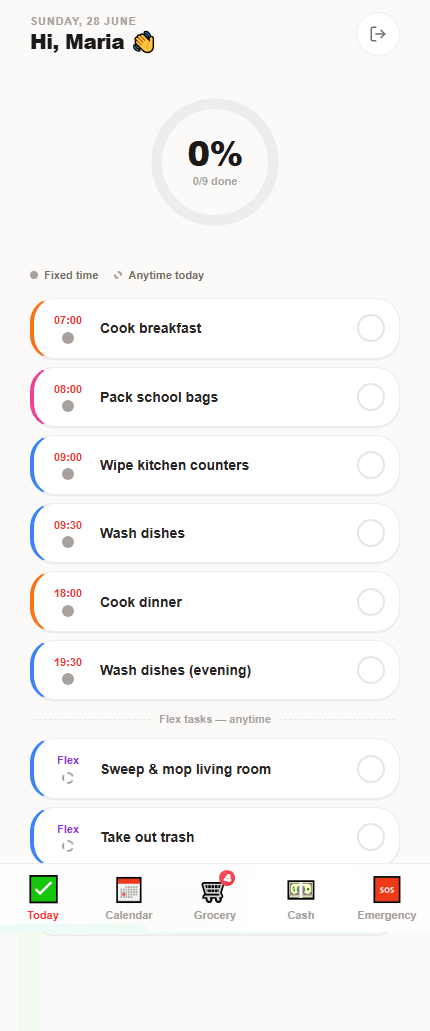
Start with safety and communication
The first day should make the home understandable before it makes the app busy. Cover the essentials first, then add daily routines gradually.
- Emergency contacts, nearest clinic or hospital and home address
- Kitchen, laundry, cleaning-supply and appliance walkthrough
- Preferred language and helper login setup
- Rest-day expectations, payday timing and household communication preferences
Turn demonstrated work into recurring tasks
A recurring task should only appear after the employer has explained or demonstrated the expected result. That keeps the checklist supportive rather than surprising.
- Create recurring tasks after demonstrating each chore
- Use notes for household preferences and temporary changes
- Introduce rewards only after the helper understands the baseline routine
First-week plan by day
A staged first week helps the helper learn the home without being buried in every possible task and rule at once.
- Day 1: safety, home address, emergency contacts and language setup
- Days 2-3: kitchen, laundry, cleaning supplies and appliance walkthrough
- Days 4-5: recurring task checklist and grocery categories
- End of week: rest-day expectations, payday process and feedback conversation
What to put in task notes
Task notes should explain household-specific expectations that are hard to guess. They are not for long manuals or personal criticism.
- Which cleaning product to use on sensitive surfaces
- Where supplies are stored and when to ask for restock
- Food preferences, allergies or family routine details
- Photo or receipt expectations for specific purchases if needed
Frequently asked questions
Should I set up every SG Helper feature in the first week?
No. Start with safety details, language, daily tasks and key contacts. Add petty cash, salary records and rewards after the helper understands the household routine.
How can I make onboarding less overwhelming?
Use short checklists, demonstrate each routine once, and add notes only where they help. The app should reinforce the walkthrough, not replace it.
Is SG Helper built specifically for Singapore households?
Yes. SG Helper is designed around Singapore domestic-helper workflows, including MOM deadline reminders, work-permit tracking, salary records, petty cash, grocery lists, and multilingual helper access.
Does my helper need to install an app?
No. SG Helper works as a web PWA on mobile and desktop, so employers and helpers can use it from a browser and add it to the home screen when useful.