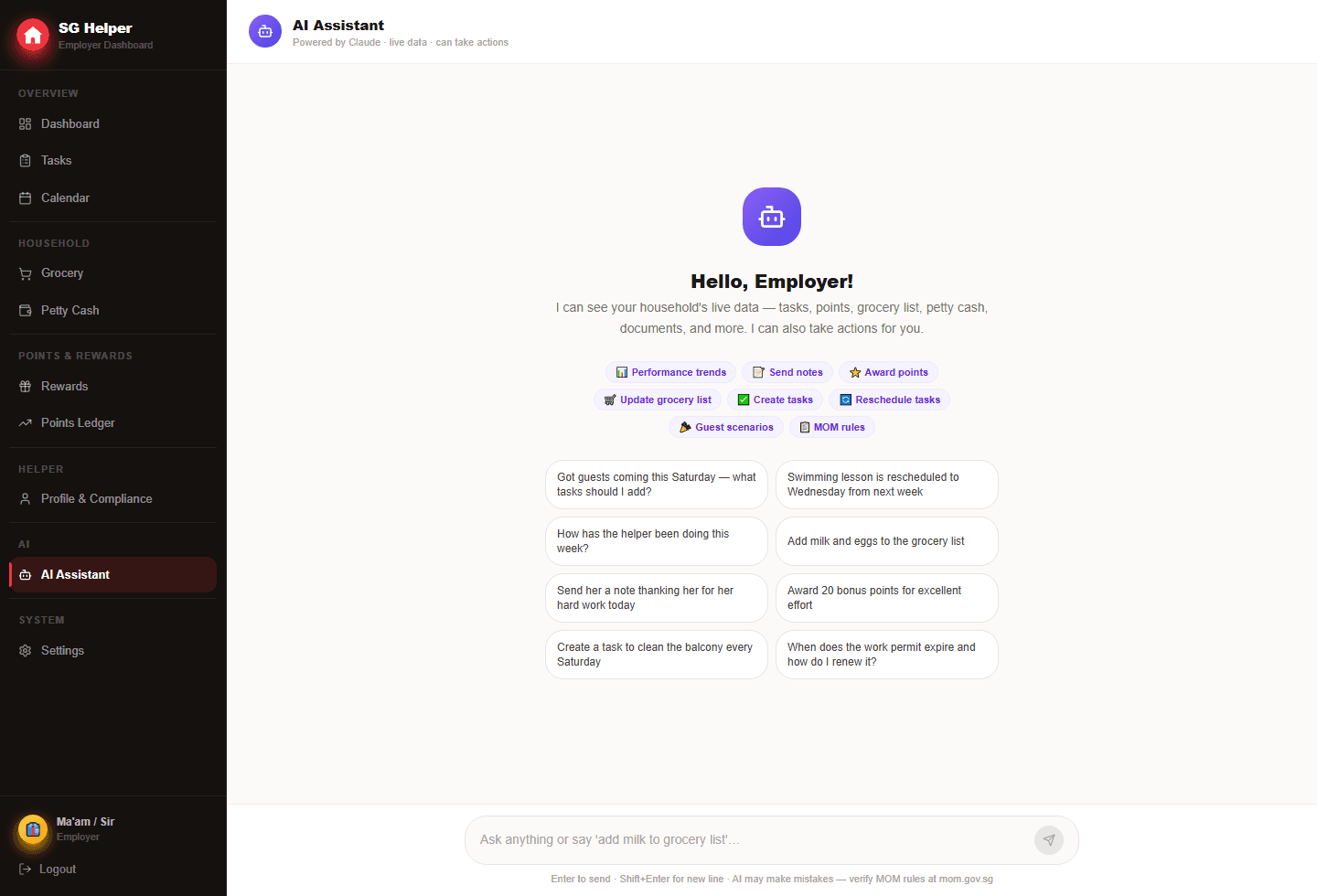
What the AI assistant is best for
The assistant is useful when a household request touches multiple areas of the app. Instead of manually creating each update, the employer can describe the situation and review a proposed plan.
- Plan extra cleaning, grocery items and helper notes before guests arrive
- Turn a changed family schedule into suggested task updates
- Draft a clear note to the helper for one-off household changes
- Suggest reward or bonus-point actions for unusually busy days
How the approval flow works
The chat route proposes actions only. Writes happen later through a separate approval endpoint, which keeps the employer in control of the household record.
- The employer asks for help in plain English
- The assistant returns a plan with individual proposed actions
- The employer reviews each proposed task, note, grocery item or reward
- Only approved actions are executed and saved to the household
Example prompts that fit real households
Good prompts include the event, date and desired outcome. The assistant can then propose useful actions without guessing too much.
- Guests are coming Saturday evening; prepare cleaning, dinner prep and groceries
- School starts next week; help adjust the morning checklist
- Maria helped with a very busy family event; suggest a respectful bonus reward
- We are low on cleaning supplies; add grocery items and a helper note
Boundaries that keep it respectful
AI should reduce admin work, not make the app feel like surveillance. SG Helper keeps AI on the employer side and uses approval before changes reach the helper workflow.
- Do not use AI to judge private behaviour or create surprise rules
- Review wording before sending helper-facing notes
- Keep recurring routine changes clear and discussed
- Use the assistant for planning support, then rely on human judgement
Frequently asked questions
Can the AI assistant change tasks automatically?
No. The assistant proposes actions first. The employer must approve a proposed task, note, grocery item or reward action before SG Helper writes it to the household.
What kind of household request should I ask the assistant?
Use it for multi-step planning, such as guests coming over, school routines changing, grocery restocks or busy-day reward recognition. Simple one-field edits are usually faster to do directly.
Is SG Helper built specifically for Singapore households?
Yes. SG Helper is designed around Singapore domestic-helper workflows, including MOM deadline reminders, work-permit tracking, salary records, petty cash, grocery lists, and multilingual helper access.
Does my helper need to install an app?
No. SG Helper works as a web PWA on mobile and desktop, so employers and helpers can use it from a browser and add it to the home screen when useful.